This guide explains how report exports work and how exported reports can be used for review, analysis, and audit purposes.
Many reports within the platform include export functionality, allowing data to be downloaded and reviewed outside the platform.
Available Export Formats
Depending on the academy configuration, reports may be available in:
PDF format
CSV format
Some academies provide both options, while others may provide CSV exports only.
Training Matrix Exports
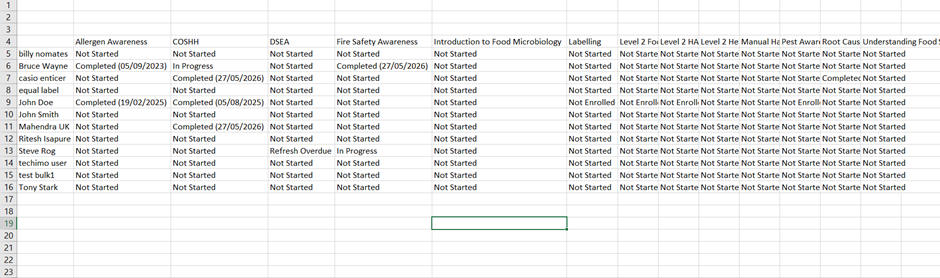
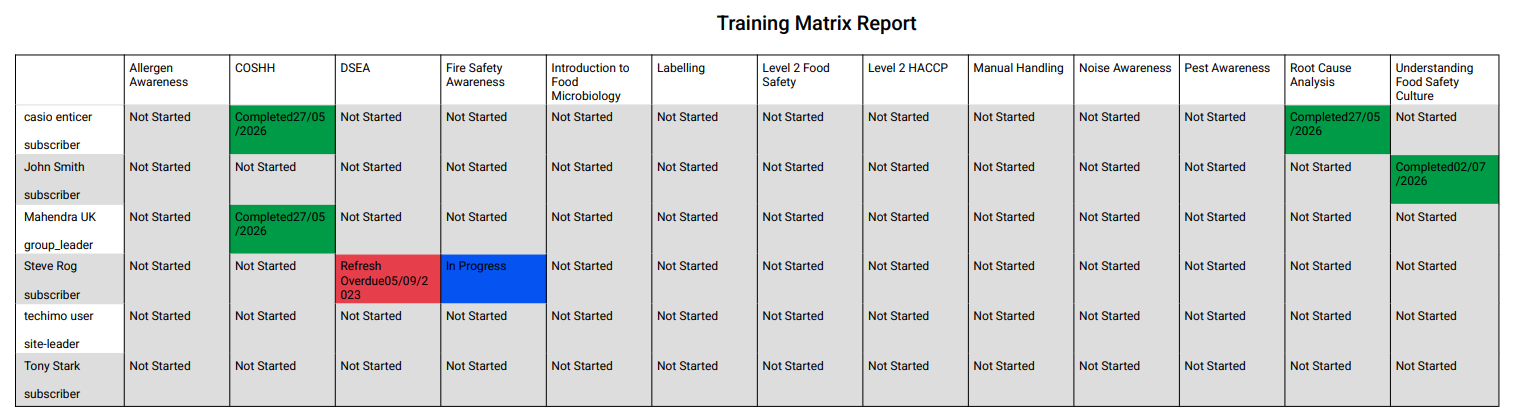
Training matrix reports can be exported to provide a snapshot of employee training records.
Exported information may include:
User information
Course status
Completion records
Refresher information
Filtered Exports
Exports respect the filters currently applied to the report.
For example:
Site filter
Course filter
Status filter
Team filter
Only the visible data will be included in the export.
CSV exported data format:
PDF exported data format:
Refresher Report Exports
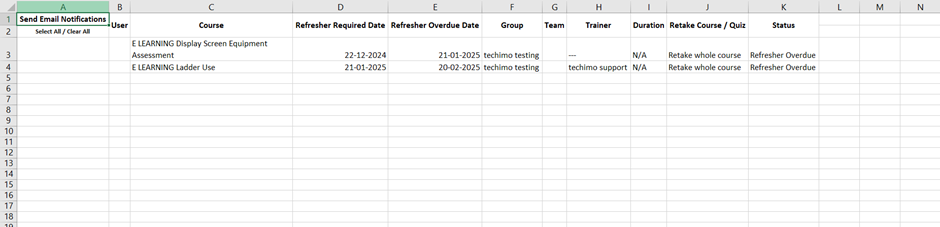
Where a refresher report is available, refresher information can also be exported.
This allows managers to review refresher requirements separately from general training records.
Using Exported Data
Exported reports can be used for:
Internal reviews
Compliance monitoring
Management reporting
Audit preparation
Record keeping
CSV files can also be opened in spreadsheet software for further analysis.
Best Practice
Before exporting reports:
Review active filters.
Confirm the correct data is displayed.
Verify date ranges where applicable.
Review exported information before sharing.
This helps ensure exported reports contain the intended information.
Platform Variations
Available export formats vary between academies.
Some platforms provide PDF and CSV exports, while others provide CSV exports only.
Was this article helpful?
That’s Great!
Thank you for your feedback
Sorry! We couldn't be helpful
Thank you for your feedback
Feedback sent
We appreciate your effort and will try to fix the article